Editable Phone Grip Order Form: Canva Template
For small business owners and creative entrepreneurs, the details matter. From the first customer interaction to the final invoice, every touchpoint shapes your brand's perception. Yet, managing orders, tracking inventory, and staying organized can feel like a constant battle against clutter and chaos. This is where a thoughtfully designed system, like the Editable Phone Grip Order Form - Canva template, transforms administrative tasks from a burden into a seamless, professional extension of your brand.
Beyond a Simple Form: A Visual Identity Toolkit
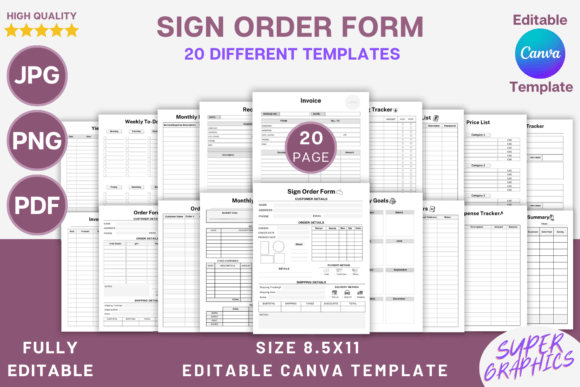
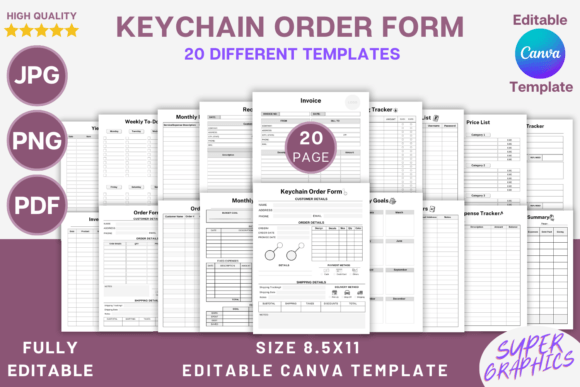
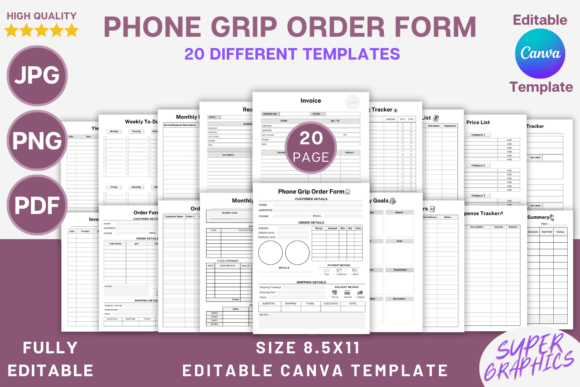
This isn't just a single order form. It's a comprehensive suite of 20 different templates designed to give your business a cohesive and polished look. The visual style is clean, modern, and highly functional. It prioritizes clarity and organization, using a structured layout that guides the eye naturally from one section to the next. The personality is professional yet approachable—perfect for a maker, crafter, or boutique shop owner who wants to project competence without feeling cold or corporate.
The true power lies in its editable nature within Canva. You're not stuck with a static PDF. You can instantly adjust the brand identity elements to match your business. Swap the default colors for your brand's palette, change the fonts to your chosen sans serif font or serif font for headings, and upload your logo. This level of customization ensures that every customer receipt, every internal inventory sheet, and every goal tracker reinforces who you are. It turns mundane paperwork into a subtle but effective piece of marketing.
Practical Applications for a Streamlined Business
The included templates cover the entire lifecycle of a customer order and your internal operations. The core Phone Grip Order Form is perfect for taking custom orders at craft fairs, pop-up shops, or via DMs. Its structured fields ensure you collect all necessary information—design choice, quantity, color, personalization details—the first time, reducing back-and-forth communication.
Beyond the point of sale, the suite supports your back-end processes. Use the Inventory Sheet to track stock levels of your phone grip bases, designs, and packaging materials. The Order Tracker and Return Tracker help you manage fulfillment and customer service issues systematically. For your financial health, the Expense Tracker, Monthly Budget, and Financial Summary templates provide a clear picture of your cash flow, helping you make informed decisions. The Weekly To-Do List and Monthly Goals templates keep your strategic priorities in view, ensuring you're working on the business, not just in it.
This system works exceptionally well for digital and print needs. Export the forms as PDF files for emailing to clients or printing for your binder. The JPG and PNG options are ideal for importing into other design software or using as a background for a digital planner in apps like GoodNotes. The 8.5 x 11 inch trim size is standard for easy printing at home or any print shop.
Choosing and Implementing Your System
When adopting any new design asset, the first step is evaluation. Does the template's default structure align with your workflow? The beauty of this editable kit is that you can test it immediately. Duplicate a page in Canva and experiment with adding or removing fields. Could you add a line for a gift message? A checkbox for "Add a gift box?" The flexibility to customize ensures the template adapts to you, not the other way around.
Consider your font pairing strategy. The template likely uses a neutral, readable typeface. You might choose to keep the body text in that clean sans serif for maximum legibility and introduce your brand's primary display font or script font for headings. This creates a clear visual hierarchy and injects personality without sacrificing readability. Always test your chosen fonts at the final print size to ensure they remain crisp and clear.
Finally, think about consistency. Use the same modified version of the Editable Phone Grip Order Form - Canva template across all customer-facing documents. The same colors, the same logo placement, the same font choices. This repetition builds brand recognition and communicates a level of professionalism that builds trust. Customers notice when a business pays attention to these details; it signals that you care about quality at every level.
Ultimately, this toolkit is about reclaiming your time and elevating your brand. It replaces disjointed, ad-hoc documents with a unified system that works as hard as you do. By integrating this editable suite into your daily operations, you create a smoother, more professional experience for your customers and a more organized, less stressful environment for yourself. It’s a practical investment in the infrastructure of your creative business.