Speed Up Your Etsy Listings: 10 Digital Paper Mockup Templates
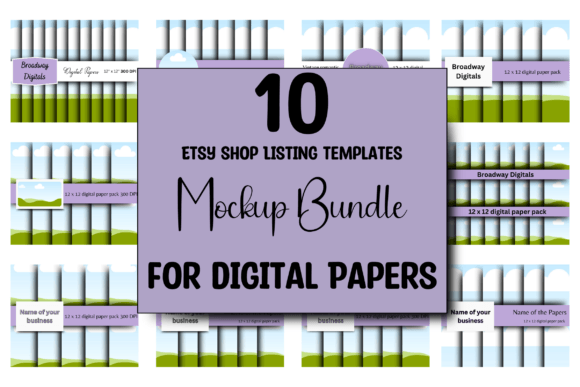
If you sell digital papers on Etsy, you know the drill. You spend hours creating a beautiful new collection—perfect seamless patterns, rich textures, vibrant colors. Then you face the next challenge: creating listing images that actually sell your work. It’s a time-consuming process that can stall your momentum. You need mockups that look professional, are easy to customize, and help your designs stand out in a crowded marketplace. That’s precisely where this set of 10 ETSY Digital Paper Mockup Templates comes in, designed specifically for Canva to streamline your workflow.
A Designer’s Perspective on Practical Mockups
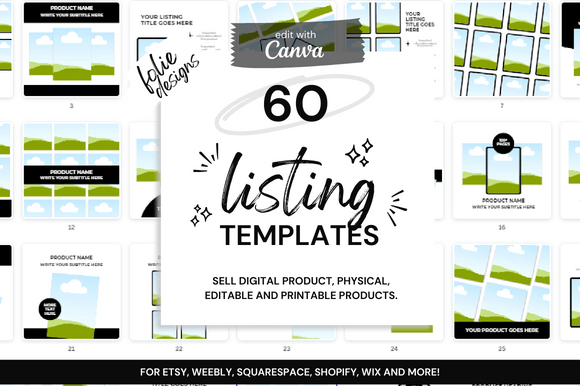
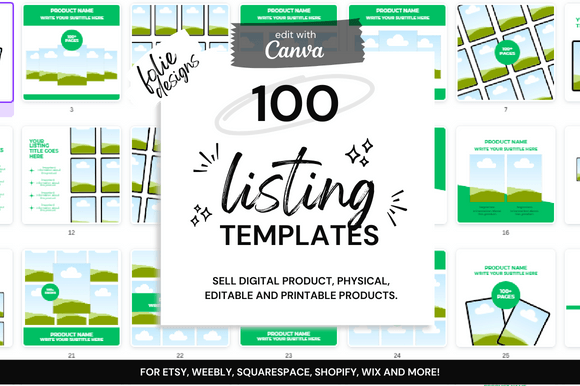
Think of these templates not as rigid frames, but as a flexible foundation for your brand identity. The visual style is clean, modern, and versatile. Each of the ten templates offers a distinct layout—some with more negative space for a minimalist feel, others with subtle mockup elements like clips or pins to add context. The overall appeal lies in their professionalism and adaptability. They provide a consistent visual language across your shop, which is crucial for building recognition and trust with potential buyers. You’re not just selling a digital paper; you’re selling a vision of what that paper can become.
The real-world value here is immense for anyone in the creative space. As a designer or entrepreneur, your time is your most valuable asset. Instead of starting from a blank canvas for each new collection, you can drop your pattern into these pre-designed scenes. The templates are already sized at the optimal 2500px by 2000px for Etsy’s main image slot, ensuring your listings look crisp on any device. This isn’t about cutting corners; it’s about working smarter. You maintain full creative control—change the background color to complement your palette, swap fonts to match your shop’s typography, adjust text placement—all within Canva’s intuitive interface, whether you’re using a Free or Pro account.
Where These Templates Truly Shine
The applications extend far beyond a simple paper preview. These are versatile design assets for your entire brand ecosystem. Use them to create cohesive social media graphics that drive traffic to your shop. Design promotional materials for your blog or newsletter. They’re perfect for showcasing how your patterns might look in packaging design concepts or as part of a larger brand identity project you’re presenting to a client. For crafters and hobbyists selling on Etsy, they level the playing field, allowing you to present your work with the same polish as larger studios.
Consider the influence on your shop’s professionalism. Consistent, high-quality listing images directly impact how your brand is perceived. They create a visual hierarchy that guides the customer’s eye, first to the mockup that shows the paper in use, then to the key details about the product. This clarity improves readability and engagement. A potential buyer can immediately envision the quality and style of your digital paper, which builds confidence and can increase conversion rates. It’s a subtle but powerful form of modern typography and layout applied to product marketing.
Practical Guidance for Maximum Impact
When you open the provided PDF and access the Canva link, take a moment to evaluate the ten options. Don’t just pick the first one. Look at how each template’s layout interacts with your specific designs. A bold, geometric pattern might need more breathing room, while a delicate floral might benefit from a template with a central focal point. Test different font pairings within the templates. A clean sans serif font for the product name paired with a complementary serif font for the description can create excellent visual hierarchy and readability.
Think about your target audience. Are they scrapbookers, graphic designers looking for seamless patterns, or crafters planning wedding invitations? The mockup should speak their language. Use the text fields to highlight key features: "Seamless," "High-Resolution," "300 DPI," "Commercial License." The ability to customize colors means you can ensure every listing aligns with your shop’s color palette, reinforcing your brand identity with every upload. This consistency is what turns one-time buyers into repeat customers.
Ultimately, these 10 ETSY Digital Paper Mockup Templates are about removing friction from your creative business. They provide a professional, adaptable, and efficient solution for a task that every digital seller faces. By investing a little time upfront to customize them to your brand, you save countless hours on future listings, ensure a cohesive shop appearance, and present your digital papers in their best possible light. It’s a practical tool designed for real-world results, helping you focus on what you do best: creating beautiful designs.